
Message from David Shaw, Chief Information Security Officer as UCLA:
To the Campus Community:One of the new enhancements in the latest version of Zoom, version 5.0.0, requires all users to update their desktop client by May 30. I encourage all UCLA users to review Zoom’s summary of the latest updates, as well as UCLA’s latest guidance for using Zoom, and to update your desktop client today.Simple instructions for checking whether you have the latest version and easily updating your software can be found in Step 2 on our Zoom Security Settings information page.If you encounter any issues, please email the IT Support Center at help@it.ucla.edu. Faculty and staff can also contact their department’s local IT team, and students can email help@it.ucla.edu or call 310-267-4357 (7HELP).Sincerely,
David ShawChief Information Security Officer
How to update your Zoom client
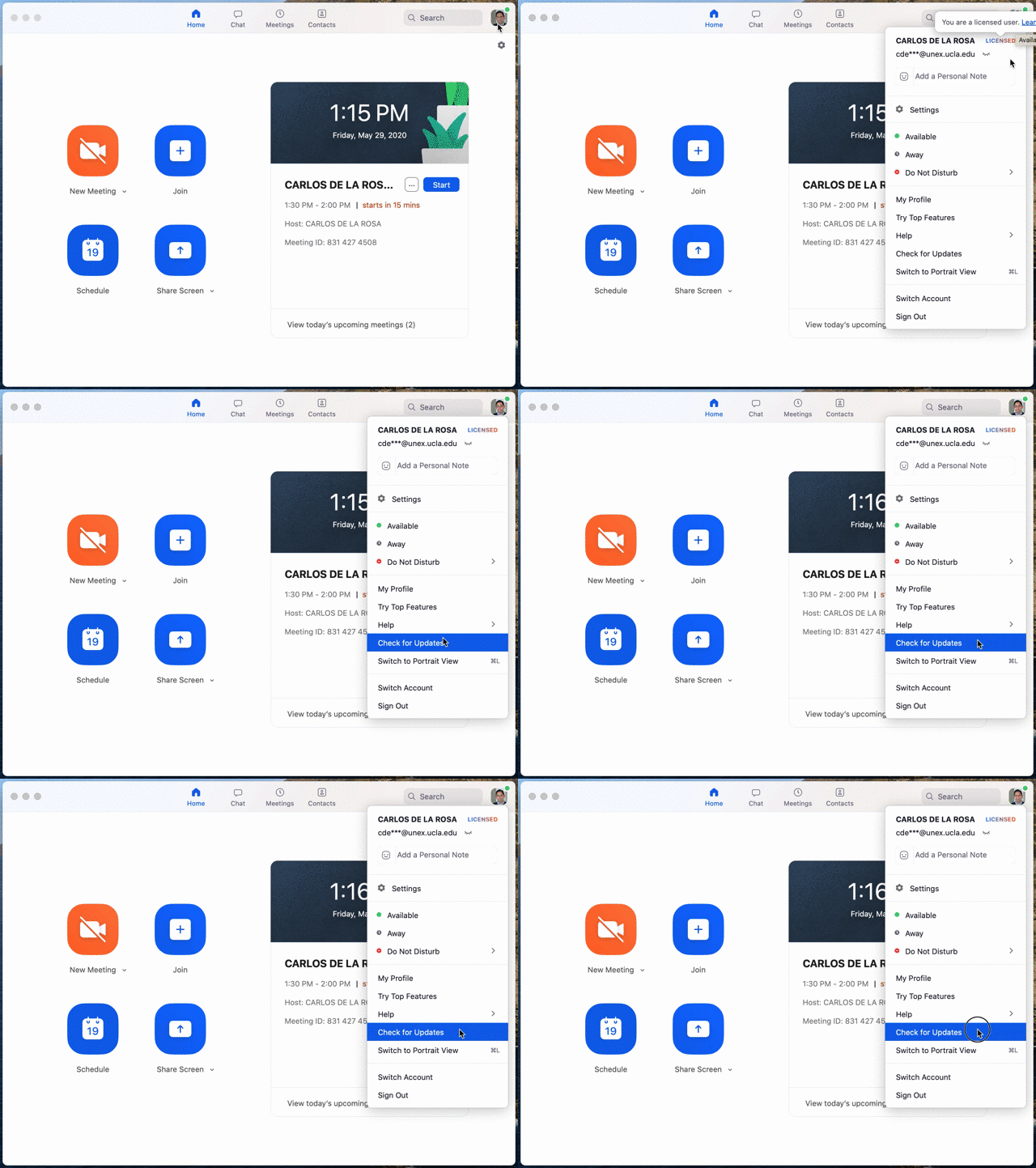
Following up on a message from David Shaw, Chief Information Security Officer (below), please:
- Open your Zoom desktop application,
- Check for updates as indicated in the animation above
- Install any listed update immediately
If you need any assistance, please contact the UNEX IT Services help desk.