
When you attempt to use the Acrobat PDFMaker plug in, you may see this message if you are running an older version of Microsoft Office.
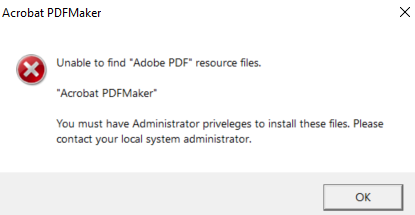
The helpdesk will need to assist you in fixing this issue as it will require administrative access to update the software.
As a temporary work around you can follow the steps below from Adobe to "print" your document to a PDF file.
How to print to PDF:
- Select a file in any application that prints and open it.
- Choose “File” > “Print”.
- Choose “Adobe PDF” from the list of printers in the print dialog box.
- Click "Print" to use the Acrobat PDF printer.
- Click “OK” and enter a new file name for your PDF. Save to your desired location.
Using the Adobe PDF printer, Acrobat